H3VR2 system requirements: PC and Quest Guide
Find out which Quest headsets run H3VR2, when the PC version arrives, and what is known about hardware requirements and unofficial PC play.
H3VR2 system requirements at a glance
Wondering whether your headset or gaming PC can run H3VR2? The answer depends on which version you mean: the game is currently available for Quest 3 and Quest 3S, while its official PC VR release is planned for Steam in the second half of 2027. These H3VR2 system requirements matter because owning a VR-ready PC does not give you access to the unreleased Steam build today.
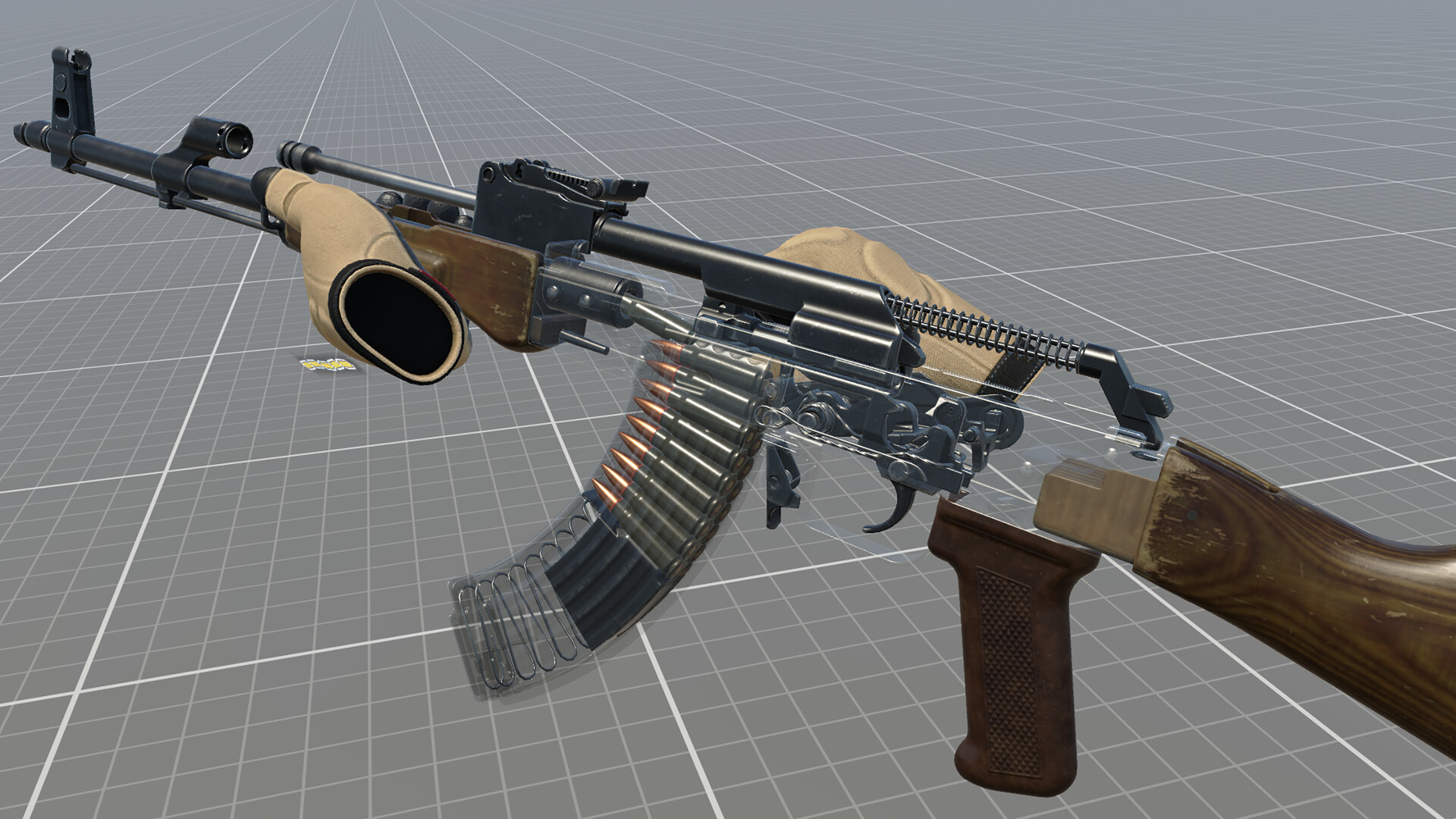
Official screenshot · Source: Steam store
As of November 19, 2026, RUST LTD. has not published PC hardware specifications. That means there are no confirmed minimum or recommended CPU, GPU, RAM, or storage requirements for the Steam version. Here is what is confirmed, what remains unknown, and how to assess your setup without mistaking community experiments for official support.
| Platform | Availability | Confirmed compatibility |
|---|---|---|
| Meta Quest 3 | Available now | Supported |
| Meta Quest 3S | Available now | Supported |
| Meta Quest 2 | Available now in store, but will not boot | Not supported |
| Meta Quest Pro | Available now in store, but will not boot | Not supported |
| PC VR via Steam | Planned for second half of 2027 | Requirements not announced |
The Quest download is listed at 2.77 GB. The game can be played offline, but that file size should not be confused with a PC storage estimate: the Steam edition may differ.
Official H3VR2 PC requirements: what is known
The official H3VR2 website currently directs Quest players to the Meta store and PC VR players to wishlist the Steam version. The Steam release is planned for the second half of 2027, after a modding framework is completed. Until RUST LTD. posts a PC specification sheet, any exact desktop requirements you see online should be treated as estimates, not confirmed facts.
The game is built around detailed firearms, physics, and VR interaction. Those features can make PC performance requirements different from a lightweight flat-screen game, but they do not tell us exactly what hardware the final PC build will need. The developer has also discussed scaling the PC version for possible use on lower-powered devices, but that is not the same as publishing a minimum spec or promising performance on a particular computer.
| PC specification | Official status as of Nov. 19, 2026 | What to do now |
|---|---|---|
| Operating system | Not announced | Check the eventual Steam listing |
| Processor (CPU) | Not announced | Avoid buying parts based on guesses |
| Graphics card (GPU) | Not announced | Compare your GPU once official specs appear |
| Memory (RAM) | Not announced | No confirmed minimum or recommendation |
| Storage | Not announced | Do not assume the Quest download size applies |
| VR headset support | PC VR version planned for Steam | Wait for the supported headset list |
| Release timing | Second half of 2027, planned | Follow official updates for changes |
A VR-ready PC for other titles may be a useful starting point, but it does not guarantee H3VR2 compatibility at a particular resolution or frame rate. VR performance depends on the headset’s display resolution, refresh rate, rendering settings, and the game’s optimization—not just a GPU model.
Quest 3 and Quest 3S compatibility
If you want to play H3VR2 now, the supported standalone headsets are Meta Quest 3 and Quest 3S. The Quest store lists the game as a 2.77 GB download, and it does not require an internet connection to play. You can use sitting, standing, or room-scale play, though the store rates the experience as intense.
Quest 2 and Quest Pro owners should not purchase the game expecting it to run natively. They may be able to buy it through the store, but the developer has said it will not boot on those headsets. H3VR2 was designed for Quest 3-class hardware rather than being scaled down to older devices.
| Headset | Can it run the native Quest version? | Practical guidance |
|---|---|---|
| Quest 3 | Yes | Supported headset |
| Quest 3S | Yes | Supported headset |
| Quest 2 | No | Do not buy expecting native play |
| Quest Pro | No | Do not buy expecting native play |
Before purchasing, confirm that you are signed into the Meta account you plan to use and that your headset has enough free space for the download and updates. The listed 2.77 GB is the current download size; leave some additional storage available for updates and other installed games.
Can you play H3VR2 on a PC before the Steam release?
A creator’s community report describes running the Quest version on a PC through a third-party tool called Venture, which the video characterizes as a translation layer. The player reported smooth performance at high per-eye resolutions on their particular setup. That is a single player experience—not an official PC port, benchmark, or reliable indication of what hardware you need.
This distinction matters. A community workaround may depend on a specific PC, headset, software version, account setup, and game build. Results can vary, and the developer has not announced this tool as a supported way to play H3VR2. Do not interpret a reported frame rate as proof that the game will run the same way on a laptop, Steam Deck, or another VR headset.
| Route to play | Status | What to keep in mind |
|---|---|---|
| Quest 3 or Quest 3S | Official and available | Supported standalone experience |
| Steam PC VR | Official release planned | Target is second half of 2027; specs are pending |
| Third-party PC translation tool | Community-reported workaround | Not an official port or supported requirements path |
| Quest 2 or Quest Pro | Unsupported natively | The game is reported not to boot |
If you consider an unofficial method, research the tool and its current compatibility information independently. Use a legitimate copy of the game and understand that unofficial software may change, stop working, or introduce setup and security risks. For the most predictable experience today, use a supported Quest headset.
What to check before upgrading your PC
With no official H3VR2 PC requirements, buying a new graphics card or CPU specifically for this game is premature. Instead, take a few practical steps so you can make a better decision when the Steam specifications are released.
- Identify your current hardware. Record your CPU, graphics card, RAM, and available storage. Windows users can find basic details in Task Manager under Performance; GPU model and driver details are also available in the graphics control panel.
- Check your VR headset’s resolution and refresh rate. Higher resolution and refresh rates typically demand more rendering power. Your target settings can affect performance as much as the game itself.
- Test your system in current PC VR games. Smooth performance in other demanding VR titles gives you useful context, though it cannot guarantee how H3VR2 will run.
- Wait for the official Steam listing to show specifications. Compare your components with the published minimum and recommended specs once available.
- Reassess after launch updates. Drivers, game patches, and performance settings can affect results, so early benchmarks may not tell the whole story.
| Upgrade decision | Sensible approach |
|---|---|
| Buy a GPU now just for H3VR2 | Wait; no official requirements exist |
| Keep using a PC that already handles VR | Reasonable while awaiting the spec sheet |
| Choose a headset based on a community benchmark | Avoid; reports are setup-specific |
| Budget for storage | Wait for the PC build’s stated size, but keep free space available |
| Plan to play immediately | Use Quest 3 or Quest 3S |
There is one additional platform detail to bear in mind: cross-buy between the Quest and Steam versions has not been announced. Buying the Quest edition does not currently guarantee access to the future Steam edition. Check the store listings and developer announcements before assuming one purchase covers both platforms.
What the PC version will add—and what it won’t change
H3VR2 is a single-player sequel centered on Facility, an extraction-style mode in which players deploy, fight, collect gear, and try to extract with their haul. The launch version also includes range, competition, arcade shooting, and sandbox modes. Its focus on hands-on weapon interaction is part of why PC players are interested in the eventual Steam edition.
The current PC timeline is a plan, not a guarantee. RUST LTD. has placed the Steam version in the second half of 2027 and tied it to development of a modding framework. Dates and specifications can change during development, so check the Steam page or official announcements again before upgrading or buying a headset.
For now, the key takeaway about H3VR2 system requirements is straightforward: Quest 3 and Quest 3S are the confirmed way to play natively, while official PC hardware requirements have not been released. Keep your current PC if it already meets your VR needs, and make upgrade decisions when the developer publishes concrete specifications.
Frequently asked questions
What are the H3VR2 system requirements for PC?
They have not been announced. The Steam PC VR version is planned for the second half of 2027, and its CPU, GPU, RAM, operating system, and storage requirements remain unconfirmed.
Can I play H3VR2 on Quest 2?
No. Quest 2 is not a supported headset for the native game, and the developer has said it will not boot. Quest 3 and Quest 3S are the supported standalone options.
Can I play H3VR2 on PC right now?
The official Steam version is not available yet. A player has reported using a third-party tool to run the Quest edition on PC, but this is community-reported, unofficial, and not a substitute for published PC requirements.
Will buying H3VR2 on Quest include the Steam version?
Cross-buy between the Quest and Steam editions has not been announced. Check the official store pages and developer updates before purchasing if you plan to own both versions.
Related Guides
H3VR2 meta store: Quest 3 Buying and Gameplay Guide
Learn where to buy H3VR2 on the Meta Store, what Quest headsets support it, and how its extraction shooter gameplay works.
H3VR2 pc: Release Date, Setup, and Performance Guide
Find out when H3VR2 comes to PC, how players run it early, expected features, performance tips, and what to know before buying.
H3VR2 psvr2: Platforms, Release News, and Alternatives
Is H3VR2 coming to PSVR2? Explore confirmed platforms, release news, gameplay features, and the best alternatives for PlayStation VR2 owners.
H3VR2 early access: Quest Launch Guide and Review
Everything you need to know about H3VR2 early access, including Quest availability, Facility mode, gunplay, pricing, tips, and PC VR plans.
H3VR2 coop: What Multiplayer Players Need to Know
Wondering about H3VR2 coop? Here is what is confirmed, what remains unknown, and how the extraction mode could shape future multiplayer.