H3VR2 psvr2: Platforms, Release News, and Alternatives
Is H3VR2 coming to PSVR2? Explore confirmed platforms, release news, gameplay features, and the best alternatives for PlayStation VR2 owners.
H3VR2 psvr2 searches are growing as VR shooter fans look for a way to play Rust Ltd.’s upcoming sequel on Sony’s headset. The important news is that H3VR2 psvr2 support has not been announced, while Quest 3, Quest 3S, and PC VR through Steam are the confirmed platforms.
That distinction matters because Hot Dogs, Horseshoes & Hand Grenades built its reputation around detailed weapon handling, and many PSVR2 owners want to know whether they will get the same experience. Here is what is confirmed, what remains unknown, and what players can expect from H3VR2’s campaign and platform lineup.
Is H3VR2 Coming to PSVR2?
At the time of writing, Rust Ltd. has confirmed H3VR2 for Meta Quest 3, Meta Quest 3S, and PC VR headsets through Steam. The official website currently lists Quest and Steam wishlisting options, but it does not list PSVR2 support or a PlayStation release.
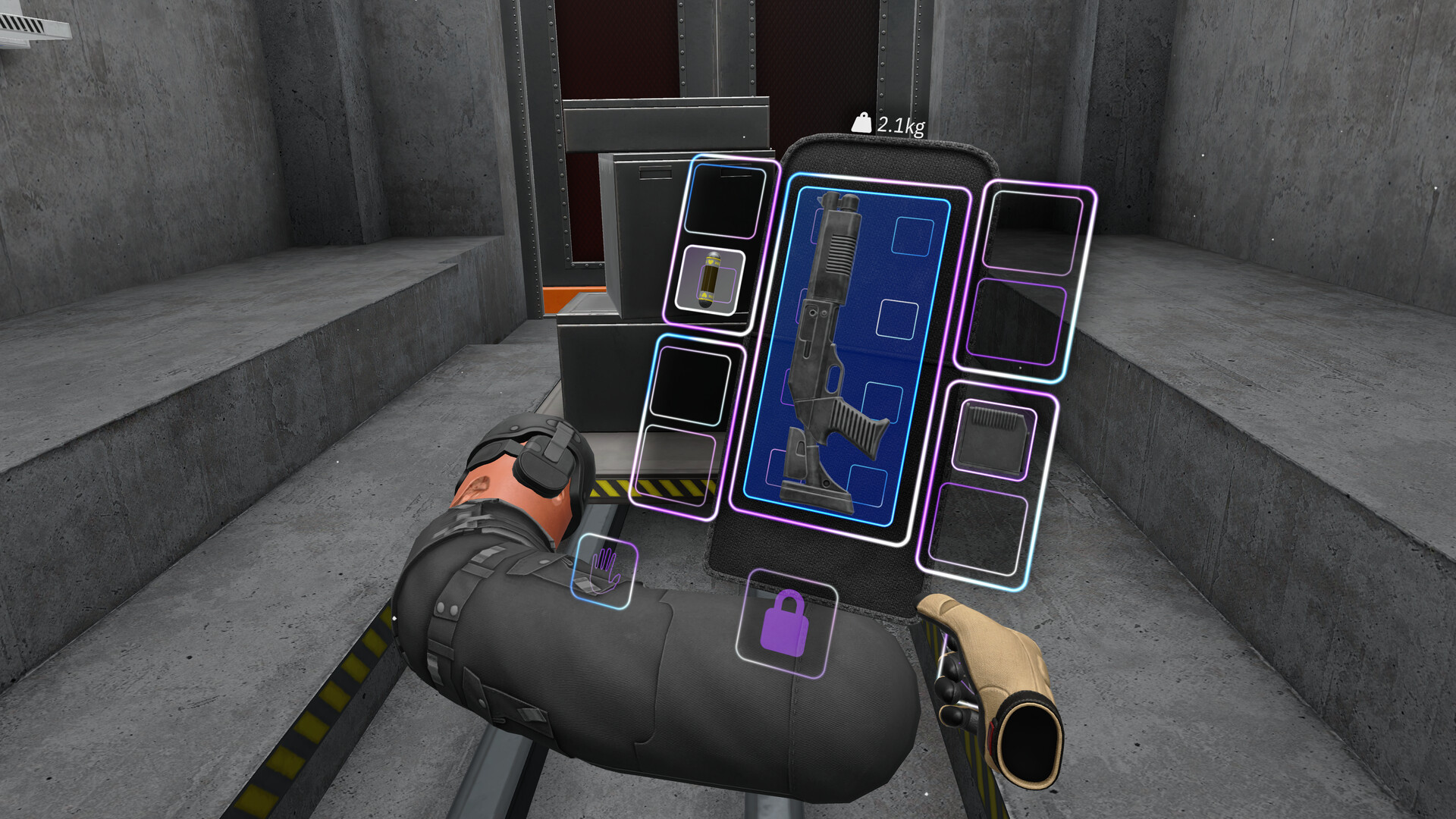
Official screenshot · Source: Steam store
The lack of a PSVR2 announcement does not necessarily mean the game will never arrive on Sony’s platform. It simply means there is no reliable confirmation that PlayStation VR2 is part of the launch plan. Buyers should avoid treating speculation, forum posts, or search-result snippets as an official platform announcement.
| Platform | Status | What is confirmed |
|---|---|---|
| Meta Quest 3 | Confirmed | Standalone VR version planned |
| Meta Quest 3S | Confirmed | Standalone VR version planned |
| PC VR via Steam | Confirmed | Supported PC VR headsets are planned |
| PSVR2 | Unconfirmed | No official release announcement |
| Original Quest headsets | Not announced | Quest 2 is not listed among the confirmed devices |
| Traditional flat-screen PC | Not indicated | The game is designed as a VR title |
For the most reliable updates, check the official H3VR2 website. The site is the best source for platform announcements, wishlisting information, and future release details.
What We Know About H3VR2’s Platforms
H3VR2 represents a major change from the original game’s platform strategy. The first Hot Dogs, Horseshoes & Hand Grenades became known primarily as a PC VR title. Its sequel is being developed for both PC VR and newer standalone Quest hardware.
That expansion is significant because Quest 3 and Quest 3S have different technical requirements from a PC connected to a powerful graphics card. According to an interview reported by Road to VR’s coverage of H3VR2, developer Anton Hand said the team is targeting 72 frames per second on Quest 3.
| Feature | Quest 3/3S | PC VR through Steam | PSVR2 |
|---|---|---|---|
| Standalone play | Yes | No | No |
| PC connection required | No | Usually yes | Usually yes for PC use |
| Confirmed for H3VR2 | Yes | Yes | No |
| Expected visual flexibility | Hardware-optimized | Depends on PC | Unknown |
| Advanced weapon simulation | Planned | Planned | Unknown |
| Official release date | Not announced | Not announced | Not announced |
The Quest 3 target is also a practical technical milestone. H3VR2 is expected to include procedural environments, realistic firearms, enemy encounters, resource management, and large-scale VR interactions. Running that combination without relying on constant reprojection requires careful optimization.
For PC VR users, hardware performance will likely influence resolution, frame rate, and visual quality. A high-end gaming PC may offer more graphical headroom than standalone Quest hardware, but the exact PC requirements have not yet been published.
H3VR2 Gameplay Features to Expect
H3VR2 is positioned as more than a shooting gallery. Its main Facility mode is described as an extraction-based campaign set inside a procedurally generated megastructure. Players enter a run, collect resources and equipment, survive hostile encounters, and reach an extraction point.
A successful extraction lets players bring valuable items back to a central hub. Those resources can then support upgrades, equipment purchases, and future runs. This creates a risk-and-reward loop: the longer you stay, the more you can collect, but the more opportunities you have to lose your progress.
| Gameplay system | How it works |
|---|---|
| Facility mode | Enter randomized areas, complete objectives, collect loot, and extract |
| Procedural generation | Rooms and routes can vary between runs |
| Loadouts | Choose starting equipment suited to different play styles |
| Hub progression | Use extracted materials to improve future attempts |
| Sandbox content | Experiment with weapons, ranges, and toys outside the campaign |
| Daily runs and challenges | Replayable activities designed for repeated sessions |
| Competitive Combat mode | Players compete on comparable runs and leaderboards |
A campaign tutorial video offers a useful look at the intended beginner experience. New players are encouraged to complete a certification range before entering the Facility. This introductory area teaches movement, weapon operation, inventory handling, and other VR basics.
The game also appears to place a strong emphasis on physical interaction. Players can store equipment in a backpack, attach items to their waist, use shoulder slots for weapons, and manipulate ammunition directly. That approach is one of the key reasons the series appeals to firearm enthusiasts and VR simulation fans.
A beginner-friendly extraction loop
A typical early run may look like this:
| Step | Objective | Beginner advice |
|---|---|---|
| 1 | Complete the tutorial range | Learn movement and weapon controls first |
| 2 | Select the Facility and an easy loadout | Start with a basic scavenger-style setup |
| 3 | Search rooms for loot | Prioritize useful resources over random equipment |
| 4 | Avoid unnecessary alarms | Move around security lines and weapon gates carefully |
| 5 | Use vendors and recyclers | Convert unwanted items into resources when necessary |
| 6 | Reach the extraction area | Do not overextend just to find one more item |
| 7 | Send valuable resources back to the hub | Choose high-value materials for limited extraction slots |
| 8 | Upgrade at the hub | Improve equipment before attempting harder floors |
The four major resource types shown in the tutorial are money, meat, metal, and mustard. Money is deposited into ATMs during a run, while other materials can support crafting and upgrades. Because extraction capacity is limited early on, players need to make deliberate decisions about what to carry home.
Practical Tips for Your First H3VR2 Run
The best approach is to treat the first few missions as training rather than speed runs. Extraction games can punish players who chase every item or engage every enemy. Learning the map layout, equipment slots, and alarm systems is more valuable than leaving with a full inventory.
1. Configure comfort settings first
Before entering the campaign, adjust snap turning, smooth turning, teleportation, smooth movement, audio, units, and difficulty. Comfortable movement is especially important in a game that may involve extended exploration and frequent weapon handling.
If you are new to VR shooters, begin with the movement option that causes the least discomfort. You can change settings later as your comfort improves.
2. Start with a simple loadout
A basic scavenger loadout gives you room to learn without introducing too many complicated systems at once. Once you understand inventory management and extraction, experiment with loadouts that provide stronger rifles or specialized gear.
3. Use stealth before aggression
Friendly research-style sausages are not automatically hostile, while armed guards can become dangerous if provoked. Community reports and player experience from early gameplay footage suggest that avoiding unnecessary fights is a safer strategy for beginners.
Alarms can also create problems. Blue security lines may trigger alerts, and some weapon gates react to firearms with removable magazines. Store your weapon when passing through these areas if you want to remain undetected.
4. Learn the wrist menu
The wrist display provides critical information without forcing you to open a separate menu. It can show health, active quests, equipment, inventory weight, and progression. Check it regularly before entering a new room or starting a fight.
5. Do not recycle everything
The recycler is useful, but resources consumed during a run may not be available for extraction later. Keep valuable loot in your backpack when possible, and recycle only what you need for ammunition, health items, weapons, or other immediate necessities.
| Resource or item | Recommended early use |
|---|---|
| Money | Deposit it in an ATM instead of using an extraction slot |
| Metal | Save for upgrades and crafting |
| Meat | Keep a useful reserve for equipment and survival needs |
| Mustard | Prioritize it because it may be less common |
| Ammunition | Carry enough for emergencies, not every possible weapon |
| Attachments | Extract them only after core resources are covered |
| Medical items | Keep at least one recovery option available |
| Extra weapons | Recycle or leave behind if they overload your inventory |
6. Leave before the run becomes greedy
Early extraction slots are limited. A player experience shared in the campaign tutorial recommends taking important resources home rather than filling those slots with less essential attachments.
The safest rule is simple: if you have already collected enough to improve your next run, extract. A successful modest run is more valuable than a failed attempt carrying rare equipment.
What PSVR2 Owners Can Do Now
For people specifically searching for H3VR2 psvr2 news, there are currently three sensible options.
First, monitor official announcements instead of assuming that PC VR compatibility guarantees a PSVR2 version. SteamVR support and PSVR2 support are related but not identical. A developer would still need to create, test, and publish a dedicated PlayStation version.
Second, consider PC VR if you already own a gaming computer and want access to the confirmed version. The original series’ PC focus means this may be the most established route for fans who want the full firearm simulation experience.
Third, explore PSVR2 games that offer realistic weapons or extraction-style tension while waiting. These will not replace H3VR2 exactly, but they can provide similar elements such as tactical movement, immersive reloads, and high-risk encounters.
| If you want... | Best current option |
|---|---|
| Confirmed H3VR2 access | Quest 3, Quest 3S, or a compatible PC VR setup |
| The most flexible graphics | PC VR, depending on your hardware |
| A console-only VR experience | Wait for a PSVR2 announcement |
| Realistic weapon interaction now | Explore established PSVR2 shooters |
| A low-risk purchase decision | Wishlist first and wait for system requirements |
| Portable play | Quest 3 or Quest 3S |
There is also no confirmed release date at this time. That makes wishlisting more useful than preordering claims from unofficial sources. A wishlist can provide an alert when a store page becomes active without requiring you to commit before the platform and performance details are known.
H3VR2 psvr2: Final Verdict
H3VR2 psvr2 support is currently unconfirmed. The announced platforms are Meta Quest 3, Meta Quest 3S, and PC VR through Steam, with no public release date available yet.
The sequel looks especially promising for players who enjoy realistic VR firearms, procedural exploration, extraction mechanics, and sandbox experimentation. Its Facility mode should provide a structured progression loop, while Combat, daily challenges, ranges, and sandbox activities may appeal to players who prefer shorter or less punishing sessions.
For PSVR2 owners, the sensible approach is to wait for an official PlayStation announcement. Until then, do not assume that the game is coming to Sony’s headset. The confirmed options are Quest 3, Quest 3S, and PC VR, and those are the platforms to consider if you want to play H3VR2 at launch.
Frequently Asked Questions
Is H3VR2 coming to PSVR2?
There is no confirmed PSVR2 version at this time. H3VR2 has been announced for Quest 3, Quest 3S, and PC VR through Steam. Future PSVR2 support is possible, but it remains speculation until Rust Ltd. makes an official announcement.
What platforms will H3VR2 support?
The confirmed platforms are Meta Quest 3, Meta Quest 3S, and compatible PC VR headsets through Steam. The official website currently provides wishlisting information for Quest and Steam.
Does H3VR2 have a release date?
No specific release date has been announced in the available official information. Players can wishlist the game and monitor Rust Ltd.’s official channels for updates.
What type of game is H3VR2?
H3VR2 is a VR shooter with an extraction-based campaign, procedurally generated environments, realistic weapon interaction, resource collection, and hub-based progression. It is also expected to include sandbox content, daily activities, challenges, and a competitive Combat mode.
Related Guides
H3VR2 meta store: Quest 3 Buying and Gameplay Guide
Learn where to buy H3VR2 on the Meta Store, what Quest headsets support it, and how its extraction shooter gameplay works.
H3VR2 pc: Release Date, Setup, and Performance Guide
Find out when H3VR2 comes to PC, how players run it early, expected features, performance tips, and what to know before buying.
H3VR2 quest 2: Compatibility, Platforms, and Options
Is H3VR2 available on Quest 2? Learn which Meta Quest headsets support the game, why Quest 3 is required, and what alternatives players have.
H3VR2 release date: Platforms, Price, and Details
Find the H3VR2 release date, platforms, price, features, system details, and what players should know before buying this VR shooter.
H3VR2 coop: What Multiplayer Players Need to Know
Wondering about H3VR2 coop? Here is what is confirmed, what remains unknown, and how the extraction mode could shape future multiplayer.