H3VR2 quest 2: Compatibility, Platforms, and Options
Is H3VR2 available on Quest 2? Learn which Meta Quest headsets support the game, why Quest 3 is required, and what alternatives players have.
If you are searching for H3VR2 quest 2 support, the answer is important before you buy the game or upgrade your headset: H3VR2 does not currently have an announced Quest 2 version. The H3VR2 quest 2 question comes down to hardware, because this sequel is built around detailed firearm physics, interactive equipment, and a demanding extraction campaign.
Is H3VR2 Available on Quest 2?
No official Quest 2 version has been announced. H3VR2 launched on the Meta Quest 3 and Quest 3S, with the game designed around the performance level of those newer headsets.
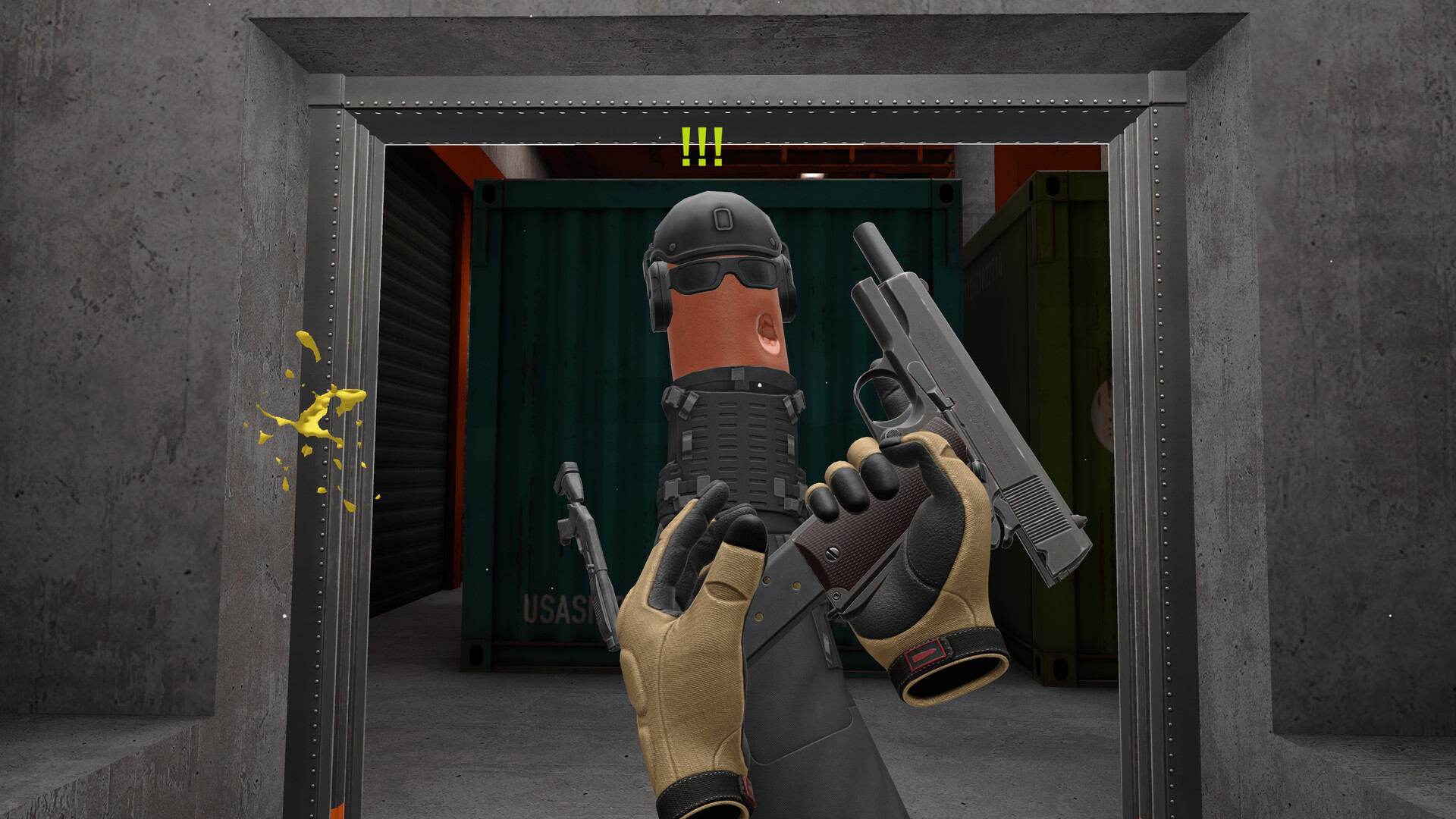
Official screenshot · Source: Steam store
The official H3VR2 website lists Meta Quest and SteamVR as platforms, but the currently announced standalone release targets Quest 3 and Quest 3S. There is no confirmed Quest 2 release date, compatibility mode, or developer statement promising support for the older headset.
| Headset or platform | H3VR2 status | Notes |
|---|---|---|
| Meta Quest 2 | Not announced | No confirmed native version |
| Meta Quest 3 | Supported | Primary standalone launch platform |
| Meta Quest 3S | Supported | Uses the same general performance target as Quest 3 |
| PC VR through SteamVR | Planned | Steam release is scheduled for a later roadmap window |
| Original Quest | Not supported | Below the required performance level |
| Quest Pro | Not announced as a native target | Do not assume compatibility without confirmation |
This means Quest 2 owners should not expect to download H3VR2 directly from the Meta Horizon Store. Compatibility is determined by the developer’s store listing and hardware target, not simply by whether another Quest headset can run the operating system.
Why Quest 2 Support Is Unlikely
The original Hot Dogs, Horseshoes & Hand Grenades became known for complex weapon interactions and realistic virtual firearm handling. H3VR2 carries that design philosophy into a structured single-player extraction roguelike.
The game needs to simulate several systems at once:
- Detailed weapon operation, including magazines, safeties, ammunition, and attachments
- Physical interaction with firearms, tools, loot, and equipment
- Enemy behavior and security responses
- Procedurally generated Facility areas
- Lighting, collision, and environmental interaction
- Inventory, extraction, recycling, and crafting systems
According to the development information available at launch, the team selected Quest 3 and Quest 3S because they crossed the performance threshold needed to make this type of standalone VR game viable. The game targets 72 frames per second on standalone hardware, making consistent performance especially important.
| Technical factor | Why it matters in H3VR2 |
|---|---|
| CPU performance | Controls enemy behavior, physics, and game simulation |
| GPU performance | Renders environments, weapons, effects, and lighting |
| Memory | Helps manage detailed levels, assets, and interactive objects |
| Frame rate | Reduces discomfort during movement and combat |
| Tracking and controllers | Supports precise weapon handling and aiming |
| Storage | Accommodates the game and future content updates |
A reduced Quest 2 version would likely require major compromises to graphics, physics, level complexity, or enemy systems. Nothing currently confirms that such a reduced version is being developed.
What Makes H3VR2 Different From the Original Game?
The first Hot Dogs, Horseshoes & Hand Grenades is primarily associated with PC VR sandbox gameplay and a large collection of firearms. H3VR2 keeps the detailed gunplay but places it inside a more structured progression system.
You play as The Handy, a sentient hot dog sent into a procedurally generated megastructure called the Facility. The main campaign combines stealth, shooting, exploration, looting, and extraction.
| Feature | Original H3VR | H3VR2 |
|---|---|---|
| Main structure | PC VR sandbox | Single-player extraction campaign |
| Progression | Sandbox-focused experimentation | Loot, extraction, recycling, and upgrades |
| Core gameplay | Firearms and shooting activities | Stealth action and tactical exploration |
| Standalone Quest release | No native Quest version | Quest 3 and Quest 3S launch |
| Player objective | Practice and experiment | Enter the Facility and recover resources |
| Long-term systems | Modes and challenges | Vendors, storage, blueprints, and updates |
The primary Facility mode begins with a loadout selection. Free starting options include equipment focused on either a basic long gun or a handgun with more storage space. You then enter a Facility level, collect valuable items, deal with security forces, and decide what to extract or recycle.
The extraction loop is central to the experience:
- Select a loadout.
- Enter a procedurally generated Facility level.
- Search rooms for weapons, ammunition, attachments, money, and crafting materials.
- Avoid or confront enemies and security systems.
- Send valuable items back through extraction systems.
- Return to the hub.
- Recycle materials, upgrade storage, unlock equipment, and prepare for the next run.
Community gameplay footage shows how much attention the game gives to small interactions. Players must load magazines, operate safeties, handle grenades carefully, identify unfamiliar loot, and use scanners or key cards to navigate secured areas. These interactions are a major reason the H3VR2 quest 2 compatibility question matters: the game is not a simple target-shooting experience with minimal simulation.
H3VR2 Quest 2 Alternatives for Players
If you own a Quest 2, you have three practical choices: purchase a newer headset, wait for a confirmed PC VR version, or continue playing similar games that are already compatible with your current hardware.
Option 1: Upgrade to Quest 3 or Quest 3S
Quest 3 and Quest 3S are the clearest way to play H3VR2 as a standalone title. Quest 3 offers higher-end hardware and improved mixed-reality capabilities, while Quest 3S uses the newer performance platform in a more affordable design.
| Upgrade path | Best for | Main advantage | Main consideration |
|---|---|---|---|
| Quest 3S | Budget-conscious players | Access to the current standalone release | Lower display quality than Quest 3 |
| Quest 3 | Enthusiasts | Better lenses and stronger overall experience | Higher purchase price |
| Gaming PC plus Quest 2 | PC VR owners | Access to compatible PC VR titles | Does not guarantee H3VR2 support |
| Wait for SteamVR | Players avoiding a headset upgrade | Potentially better graphics and PC performance | Release timing is later and may change |
Buying Quest 3S is not merely a way to gain access to one game. It also provides access to newer Quest titles that no longer target Quest 2 because of performance requirements.
Option 2: Wait for the SteamVR Version
The announced roadmap places a Steam release later than the Quest launch. The PC version is expected to offer higher-resolution textures and additional visual effects, although the final hardware requirements and release date should be confirmed by the developer.
A PC VR release may eventually be useful for Quest 2 owners who already have a capable gaming PC. However, owning a Quest 2 does not automatically mean the game will run through Steam Link, Air Link, or a wired connection. The game still needs to support the PC VR runtime, and your computer must meet the final requirements.
| PC VR requirement to check | Why it matters |
|---|---|
| Graphics card | Handles the game’s rendering and effects |
| Processor | Runs physics, AI, and simulation |
| USB or wireless connection | Transmits the PC VR image to the headset |
| Wi-Fi quality | Important for stable wireless streaming |
| Storage space | Needed for installation and updates |
| SteamVR compatibility | Required for PC-based headset play |
Do not purchase H3VR2 expecting an automatic cross-buy benefit. Current announcements do not confirm that a Quest purchase will transfer to Steam, so treat the standalone and PC versions as separate purchasing decisions until the developer states otherwise.
Option 3: Explore Quest 2-Compatible VR Shooters
If upgrading is not practical, Quest 2 owners can still play many VR shooters and firearm-focused games. These will not duplicate H3VR2’s specific combination of extraction gameplay and weapon simulation, but they can provide practice with aiming, movement, reloading, and tactical decision-making.
| What you want to practice | Useful type of VR experience |
|---|---|
| Aiming and target control | Shooting ranges and timed drills |
| Tactical movement | Single-player action shooters |
| Multiplayer combat | Competitive VR shooters |
| Weapon handling | Firearm simulation and sandbox games |
| Exploration and scavenging | Survival or extraction-style VR titles |
This is also a sensible option for players who are interested in the shooting range more than the Facility campaign. H3VR2 includes a Certification Range and challenge ranges, but the game still requires the appropriate headset platform.
H3VR2 Features Worth Knowing Before You Upgrade
The lack of H3VR2 quest 2 support should not be the only factor in your buying decision. Consider how the game is structured and whether its features match your preferred style of VR gaming.
The launch content centers on the Bunker biome, which includes multiple Facility levels. Early areas introduce exploration, security puzzles, loot identification, and combat. More advanced sections add tougher enemies and security restrictions.
Certain gates can trigger alarms when you carry specific equipment. Fully automatic weapons, firearms with removable magazines, and explosives may be restricted in some high-security areas. This creates meaningful equipment choices: an older or simpler weapon may be more useful than a powerful gun if it lets you pass without summoning a heavily armed response team.
Game Modes and Accessibility
H3VR2 is primarily single-player and does not require an internet connection for normal play. In addition to Facility mode, the game includes or plans several ways to practice and compete.
| Mode | Purpose |
|---|---|
| Facility | Main extraction campaign with progression |
| Sandbox range | Experiment with weapons and equipment |
| Certification Range | Learn firearm fundamentals |
| Challenge ranges | Complete timed shooting drills |
| Daily runs | Attempt a fixed setup and compete for a score |
| Difficulty settings | Adjust the campaign’s overall challenge |
The game supports seated play, which may help players who cannot stand for long sessions. Controller filtering can also smooth hand movement and reduce the effect of natural hand tremors. The listed comfort rating is Intense, so players sensitive to VR movement should take regular breaks and begin with shorter sessions.
The campaign also includes difficulty choices. The main difference is how much damage the player can withstand, making the easier setting useful for learning weapon controls and Facility navigation.
Planned Content
The developer has described H3VR2 as an ongoing single-player project with free updates and additional paid content. The roadmap includes small updates with new weapons, toys, and outfits, alongside future Facility biomes.
| Planned content | Expected availability |
|---|---|
| Bunker biome | Launch content |
| Small weapon and item updates | Beginning after launch |
| Meatmas holiday event | Planned for the 2026 holiday period |
| Second biome | Planned for the first half of 2027 |
| Steam version and third biome | Planned for the second half of 2027 |
| First paid DLC | Planned alongside the later roadmap period |
These dates are plans rather than guarantees. Update schedules can change, so check official announcements before making a purchase based on unreleased content.
H3VR2 Quest 2 FAQ
Can I play H3VR2 on Quest 2?
No native Quest 2 version has been announced. The standalone release targets Meta Quest 3 and Quest 3S, so Quest 2 owners should not expect to install it directly from the Meta Horizon Store.
Why does H3VR2 not support Quest 2?
H3VR2 uses detailed firearm physics, interactive equipment, procedural levels, AI, and extraction systems. The developers designed the standalone version around the newer performance level of Quest 3 and Quest 3S. A Quest 2 version would likely require substantial technical compromises.
Will a Quest 2 work with the future SteamVR version?
Possibly, but it is not guaranteed. If the SteamVR version supports PC VR headsets and your computer meets the final requirements, a Quest 2 could potentially act as a PC VR display. This depends on the final software compatibility, connection method, and PC specifications.
Should I buy Quest 3S for H3VR2?
Quest 3S is the most direct lower-cost upgrade for players specifically interested in H3VR2. Quest 3 is the better choice if you also value sharper lenses and a more premium viewing experience. Before buying, verify the latest store listing and developer announcements because platform details can change.
Related Guides
H3VR2 meta store: Quest 3 Buying and Gameplay Guide
Learn where to buy H3VR2 on the Meta Store, what Quest headsets support it, and how its extraction shooter gameplay works.
H3VR2 pc: Release Date, Setup, and Performance Guide
Find out when H3VR2 comes to PC, how players run it early, expected features, performance tips, and what to know before buying.
H3VR2 psvr2: Platforms, Release News, and Alternatives
Is H3VR2 coming to PSVR2? Explore confirmed platforms, release news, gameplay features, and the best alternatives for PlayStation VR2 owners.
H3VR2 early access: Quest Launch Guide and Review
Everything you need to know about H3VR2 early access, including Quest availability, Facility mode, gunplay, pricing, tips, and PC VR plans.
H3VR2 coop: What Multiplayer Players Need to Know
Wondering about H3VR2 coop? Here is what is confirmed, what remains unknown, and how the extraction mode could shape future multiplayer.