H3VR2 steam: Release Date, Price, and PC Options
Find the H3VR2 Steam release window, Quest price, PC options, system advice, gameplay details, and answers to common platform questions.
H3VR2 Steam release: What PC players need to know
The H3VR2 Steam situation is unusual: the sequel launched on Quest first, while PC VR players are still waiting for a full native build. That makes H3VR2 Steam an important search for anyone who wants detailed weapon handling, procedural missions, and the familiar Sosig-filled chaos without buying into the standalone ecosystem.
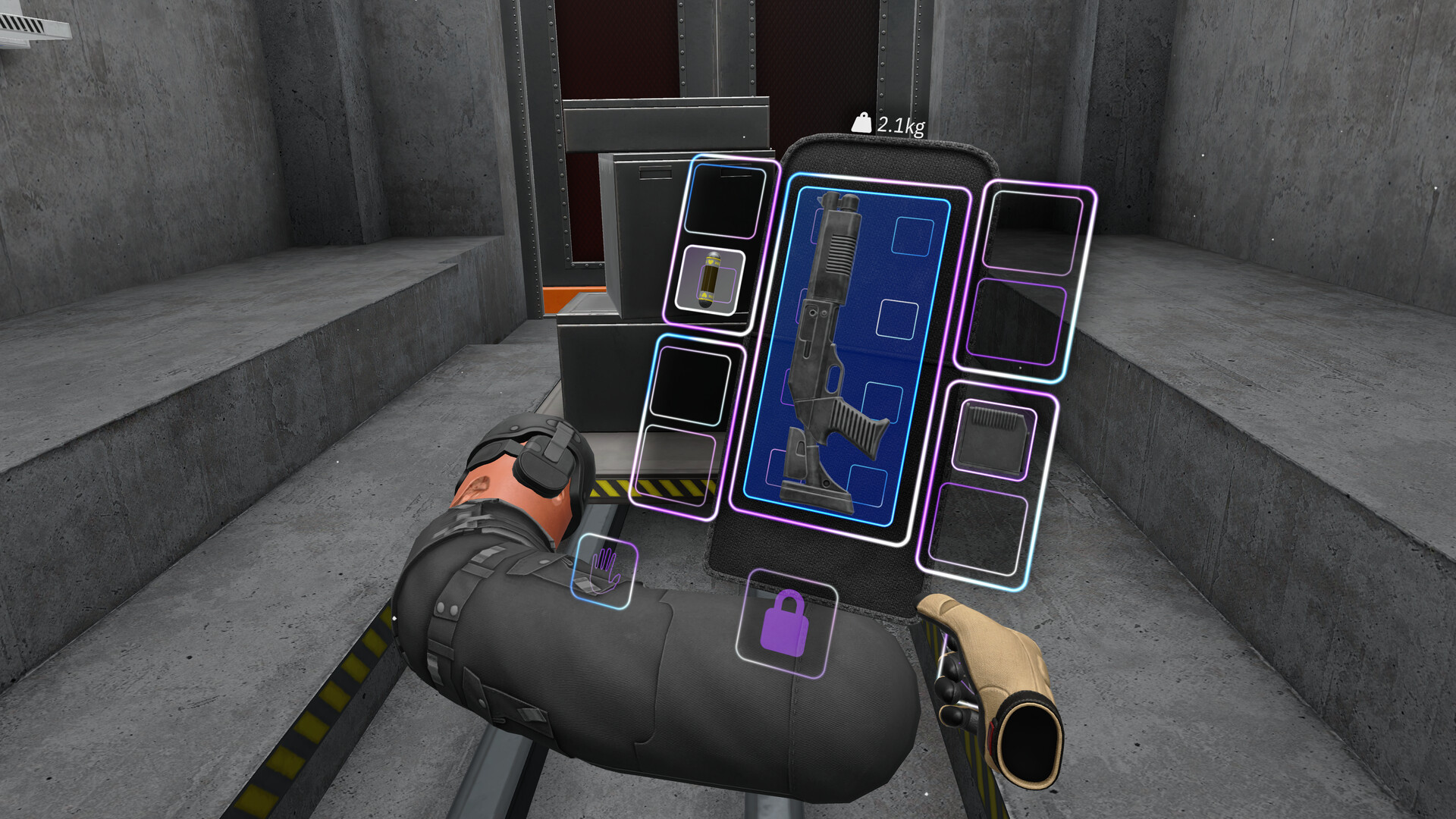
Official screenshot · Source: Steam store
H3VR2 launched on the Meta Quest Store on November 12, 2026, for $39.99. Its Steam page still lists the release date as “To be announced,” although the developer has indicated that the PC version is planned for the second half of 2027. In other words, the official H3VR2 Steam release is not available yet, but there are a few ways PC VR owners are exploring the game today.
| Key detail | Current information |
|---|---|
| Game | Hot Dogs, Horseshoes & Hand Grenades 2 |
| Quest release | November 12, 2026 |
| Quest price | $39.99 |
| Native Steam release | Not available |
| Expected PC window | Second half of 2027 |
| Developer | RUST LTD. |
| Main Quest platform | Meta Quest 3 |
| Steam page status | To be announced |
Is H3VR2 available on Steam?
No. H3VR2 is not currently available as a native SteamVR game. The official H3VR2 Steam store page is live for announcements and wishlisting, but it does not offer a downloadable PC build.
The current release order is the reverse of what many fans expected. The original Hot Dogs, Horseshoes & Hand Grenades became one of PC VR’s defining games because its physics, weapon systems, and rendering requirements were difficult to reproduce on standalone hardware. H3VR2 changes that formula by launching on Quest first.
According to the reported release schedule, the native PC version should arrive during the second half of 2027. That means July 2027 is the earliest practical point to watch, but there is no confirmed day or month at the time of writing.
| Platform | Availability | Notes |
|---|---|---|
| Meta Quest 3 | Available | Official launch platform |
| SteamVR | Not yet available | PC version planned for late 2027 |
| Quest 2 | Not supported according to launch reports | The game is designed around Quest 3 hardware |
| Quest Pro | Not supported according to launch reports | No official native version reported |
| PC through third-party software | Community reports only | Not the same as an official Steam release |
The safest approach for PC players is to wishlist the game on Steam and follow official developer announcements. A Steam listing does not guarantee that a purchase made on another storefront will transfer to Steam later.
What does H3VR2 cost?
The Quest version costs $39.99. That price includes the launch game and its initial modes, including the main Facility experience, training content, arcade-style shooting, sandbox features, and weapon customization.
The developer has also described a long-term content plan. New biomes, weapons, tools, and Sosigs are expected as free updates, while certain game modes, sandbox packs, and licensed additions may be paid DLC. This is worth considering before buying, especially if you are waiting specifically for H3VR2 Steam.
| Purchase question | Answer |
|---|---|
| Launch price | $39.99 on Quest |
| Is the game free-to-play? | No |
| Are future updates planned? | Yes |
| Will every future feature be free? | No; some DLC is planned |
| Does a Quest purchase guarantee a Steam copy? | No confirmed cross-buy arrangement |
| Should PC players buy now? | Only if they have a supported Quest headset or a clearly supported alternative |
The original H3VR remains available on Steam for players who want the established PC VR experience immediately. However, H3VR2 is not simply a visual upgrade. Its Facility mode, progression structure, and standalone-focused design give it a different rhythm.
How to play H3VR2 on PC before the Steam launch
A player video demonstrates H3VR2 running on a high-end PC through a third-party tool called Venture. The player describes Venture as a translation layer that routes Quest game calls to PC hardware rather than functioning like a conventional emulator.
This is player experience, not an official Steam release or a developer-supported PC port. The video reports high resolution and smooth performance on a powerful setup, including a Pimax headset. Results can vary substantially depending on your GPU, headset, drivers, account configuration, and the third-party tool’s current compatibility.
The reported setup follows this general pattern:
| Step | What the player experience describes |
|---|---|
| 1 | Install the third-party Venture application |
| 2 | Sign in with a legitimate Meta account |
| 3 | Own or purchase the game through an authorized Meta storefront |
| 4 | Download the compatible game files through the application |
| 5 | Launch the game using the PC headset and controls |
| 6 | Optionally add a shortcut or artwork entry to Steam |
Before trying this route, remember that a shortcut added to your Steam library is not the same thing as an official Steam build. Steam may display the game in your library, but the underlying software remains the Quest version.
You should also review the current terms for each service. Community reports may describe a tool as safe or legal, but that does not replace the platform’s account rules. Use only games you have legitimately purchased, avoid modified or pirated files, and never provide account credentials to an untrusted download.
Performance expectations
The community video reports running the game at 90 frames per second with high per-eye resolution and no obvious crashes during several hours of testing. Those numbers should not be treated as a universal benchmark.
Your actual performance depends on several variables:
- GPU and CPU performance
- Headset resolution and refresh rate
- SteamVR supersampling settings
- USB or wireless streaming quality
- Controller compatibility
- Driver versions
- Runtime overhead from the translation layer
- The game’s current software build
| PC factor | Recommended approach |
|---|---|
| Resolution | Start at native headset resolution |
| Refresh rate | Begin at 72 or 80 Hz before trying 90 Hz |
| Supersampling | Keep it moderate until stability is confirmed |
| Wireless PC VR | Use a strong 5 GHz or Wi-Fi 6 connection |
| Troubleshooting | Test one setting at a time |
| Storage | Leave room for game files, updates, and cache data |
A powerful desktop may render the Quest version more cleanly than the headset itself, but that does not mean every laptop or Steam Deck will deliver the same experience. The player video mentions laptop and Steam Deck possibilities, yet those should be considered community reports, not guaranteed minimum specifications.
What is H3VR2 like to play?
H3VR2 keeps the series’ central appeal: highly interactive firearms, physical manipulation, and absurd enemies shaped like armed hot dogs. The official description presents the game as a shoot-and-loot experience in an endlessly generated megastructure.
The main Facility mode places you in the role of The Handy. You enter a procedurally generated area, fight enemies, collect equipment, and attempt to extract with valuable items. Successful runs let you improve your armory and prepare for future missions.
| Mode or feature | What it offers |
|---|---|
| Facility | Procedural missions with combat, loot, and extraction |
| Certification Range | Weapon training and skill practice |
| Arcade shooting | Shorter target-focused challenges |
| Sandbox | Free-form experimentation with weapons and tools |
| Customization | Attachments, rail adapters, and equipment choices |
| Extraction | Recover items and materials from completed runs |
Weapon interaction remains the major attraction. Players can handle magazines, manipulate controls, attach equipment, and perform the small physical actions that make VR firearms feel distinct from ordinary shooters. Steam featurettes have specifically highlighted hand posing, inventory, magazines, and object interaction.
The Quest-first design does impose some visual limitations compared with a demanding native PC game. A player review describes the graphics as mobile-focused but praises the weapon mechanics and satisfying details, such as the physical grenade spoon and the variety of rear-mounted weapons.
Facility tips for new players
The extraction mode can be punishing at first because ammunition, weapons, and loot do not always align conveniently. Carrying a pistol without matching ammunition, for example, can leave you with valuable gear that is useless during the current run.
Use these practical habits:
- Match ammunition before committing to a weapon. Check caliber and magazine compatibility rather than grabbing every firearm you see.
- Carry an extraction item deliberately. A tool or valuable object held at the start of a mission may be eligible for extraction later.
- Avoid unnecessary alarms. Community reports suggest that some enemies can remain neutral if you do not aim at them, destroy objects in view, or trigger alarms.
- Spend starting ammunition carefully. Stealth and route planning may preserve rounds for more dangerous encounters.
- Withdraw recycled materials. Recycled resources may be lost if you leave them in a machine instead of taking them with you.
- Learn the range before chasing scores. Accuracy alone may not determine awards; speed, handling, target order, or other hidden criteria may matter.
These are player experience tips rather than confirmed developer instructions. Extraction systems can change through patches, so verify current mechanics in the game or official community channels.
H3VR2 Steam versus the Quest version
The most important difference is not necessarily content; it is how the game is rendered and controlled. A native H3VR2 Steam version should be designed for PC VR hardware, while the launch version is built around Quest 3 limitations and optimization targets.
That distinction matters to players with high-resolution headsets. PC hardware can provide more graphical headroom, but the eventual Steam build may also introduce different settings, input options, performance requirements, or platform-specific features.
| Category | Quest launch version | Future H3VR2 Steam version |
|---|---|---|
| Hardware target | Quest 3 standalone | Gaming PC and PC VR headsets |
| Graphics ceiling | Limited by mobile hardware | Potentially higher |
| Storefront | Meta Quest Store | Steam |
| Release status | Available | Planned, not released |
| Cross-buy | Not confirmed | Not confirmed |
| Mod support | Not confirmed | Wait for official details |
| Best reason to choose it | No gaming PC required | More rendering power and headset choice |
Do not assume that the Quest and Steam versions will share saves, purchases, or DLC. Until the developer publishes a cross-buy or cross-progression policy, treat them as separate platform purchases.
For people who already own a Quest 3, buying the launch version provides immediate access. For users who only own a PC VR headset, waiting for the native Steam version is the cleaner option. It avoids depending on unofficial compatibility layers and ensures that support comes directly from the platform and developer.
Should you wait for H3VR2 Steam?
Wait if you:
- Own only a PC VR headset.
- Prefer native SteamVR games.
- Want official customer support.
- Need confirmed mod, DLC, or save compatibility.
- Are uncomfortable using third-party translation software.
- Expect the best possible PC graphics and settings.
Consider the Quest release if you:
- Own a supported Quest 3.
- Want to play immediately.
- Enjoy the series’ weapon simulation more than cutting-edge visuals.
- Are comfortable with a standalone-focused experience.
- Accept that some future content may be paid DLC.
The original game’s long history suggests that H3VR2 could receive substantial post-launch support, but the exact PC feature set remains unknown. The best current move for Steam users is to wishlist the title, monitor official announcements, and avoid treating community workarounds as a substitute for the planned release.
H3VR2 Steam FAQ
When is H3VR2 coming to Steam?
The native H3VR2 Steam version is planned for the second half of 2027. The store page currently says “To be announced,” so there is no confirmed launch date yet.
Can I play H3VR2 on PC right now?
A player video reports running the Quest version on a PC through a third-party translation layer called Venture. This is community-reported functionality, not an official Steam release. Use legitimate purchases and review the current terms for all involved services.
How much does H3VR2 cost?
The Quest version launched at $39.99. The future Steam price has not been confirmed, so do not assume it will automatically match the Quest price.
Does buying the Quest version include H3VR2 Steam?
There is no confirmed cross-buy promise in the available information. A Quest purchase should not be treated as a guaranteed Steam license unless the developer or store page explicitly announces one.
Related Guides
H3VR2 meta store: Quest 3 Buying and Gameplay Guide
Learn where to buy H3VR2 on the Meta Store, what Quest headsets support it, and how its extraction shooter gameplay works.
H3VR2 pc: Release Date, Setup, and Performance Guide
Find out when H3VR2 comes to PC, how players run it early, expected features, performance tips, and what to know before buying.
H3VR2 psvr2: Platforms, Release News, and Alternatives
Is H3VR2 coming to PSVR2? Explore confirmed platforms, release news, gameplay features, and the best alternatives for PlayStation VR2 owners.
H3VR2 preorder: Price, Release Date, and Buying Guide
Find the H3VR2 preorder price, Quest 3 release details, PC VR timeline, bonuses, and practical buying tips before purchasing.
H3VR2 coop: What Multiplayer Players Need to Know
Wondering about H3VR2 coop? Here is what is confirmed, what remains unknown, and how the extraction mode could shape future multiplayer.